
Business guide
How to add your business to Google and Google Maps
Adding a business to Google and to Google Maps is one job: create or claim a free Google Business Profile, then verify it. Here are the steps, and what to do if the listing already exists.
The short answer
You add a business to Google and to Google Maps the same way: with a Google Business Profile. There is no separate Maps listing to fill in. One profile puts you on the map and in the business panel people see when they search your name, and Google says it is free to add or claim.
You need a Google account and a business that customers can visit or that travels to them. The slow part is verification, where Google checks the business is real and yours.
First, check whether Google already lists you
Open Google Maps and search your business name and suburb before you add anything. Google builds listings from public information, so a business that never signed up is often on the map already. Adding a second listing for the same business causes trouble later.
- Nothing comes up
Add the business as a new profile. The steps are in the next section.
- It is there with a claim link
Nobody manages it yet. Claim that listing and do not make a new one.
- Someone else manages it
Ask the current owner for access. An old agency or a past staff member is the usual cause.
Add your business to Google Maps: the steps
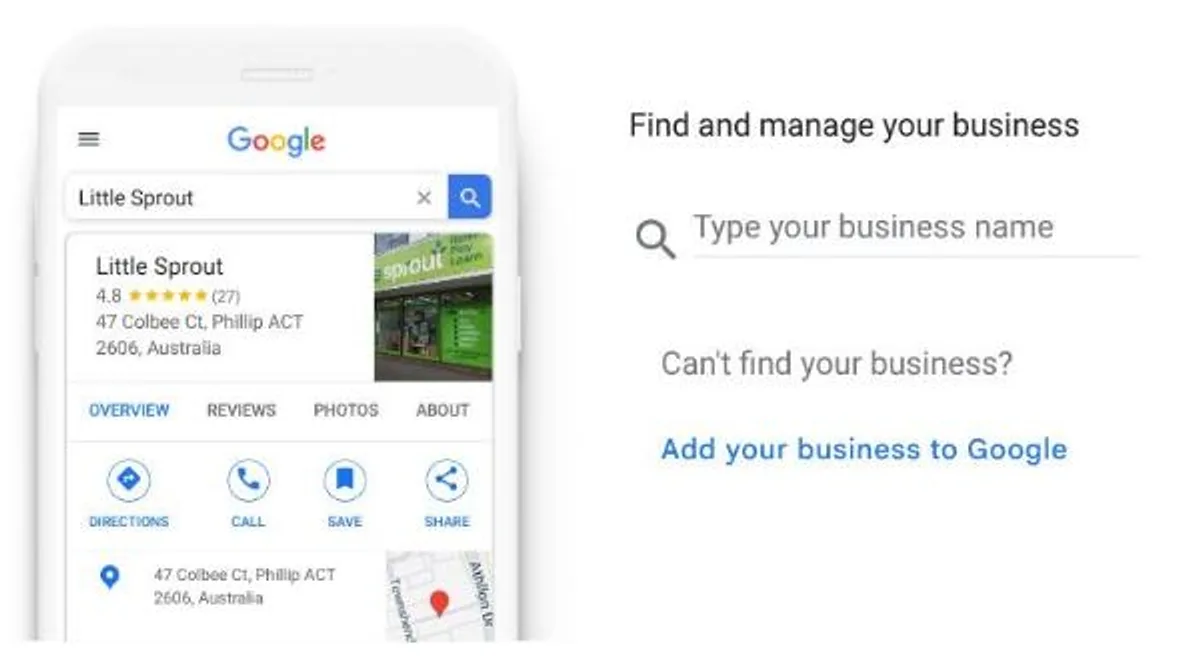
On a computer, sign in to the Google account the business will keep, then go to business.google.com/add. Type your business name into the search box first. If it is not found, choose Add your business to Google underneath. Google asks for the details below and then offers a way to verify.
Use the name on your sign, van and invoices. Google's rules say extra words in the name, such as services or suburbs, are not allowed and can get a profile suspended.
- Business name, exactly as customers know it.
- Category, such as Plumber or Electrician. Check it says what you do, not something that only sounds similar.
- Location: a shop or office address customers can visit, or the areas you travel to.
- Phone number and website.
- Opening hours. Do not leave them blank.
Take the most care with the category
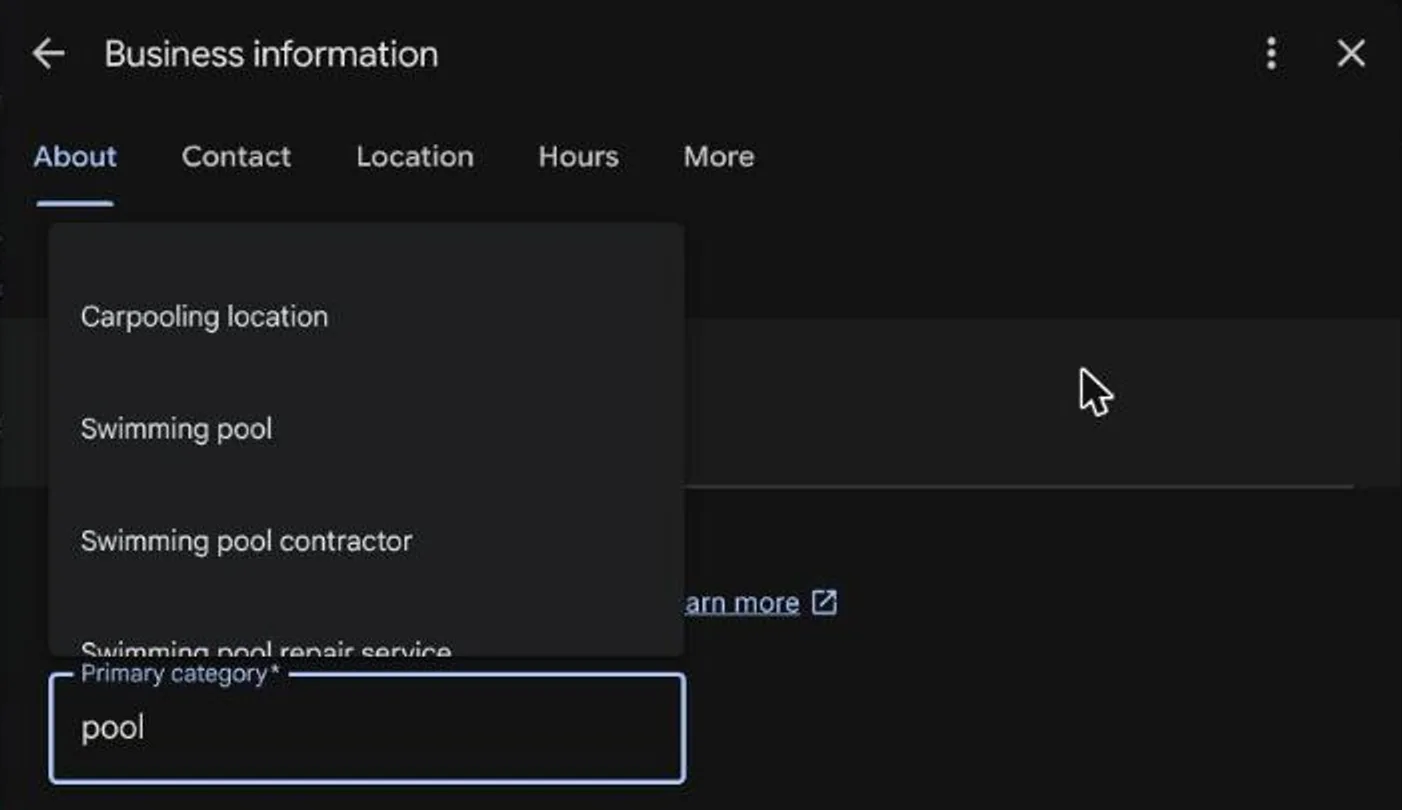
Google uses the category to match you to searches, and the list is full of names that sound close but mean something else. I have seen a pool contractor listed as a water treatment plant, which is a sewage works.
Type your trade, read every suggestion, and pick the one a customer would call you.
Already on the map? Claim it
On a computer, find the business in Google Maps, select Claim this business, then Manage now. In the Maps app on a phone, open the listing, tap About, then Claim this business. Google then takes you through the same verification step as a new profile.
Claiming keeps the reviews and photos the listing already has. A new duplicate starts from nothing and competes with the old one.
Verify it, or it will not show as yours
Google chooses the verification method and you cannot change it. It may be a phone call or text, an email, a video you record, a live video call or a postcard. Where a video is offered, Google recommends using it. Postcards are not available to every business; Google says most codes arrive within 14 days and expire after 30.
After you verify, Google reviews the profile, which it says takes up to five business days, and emails you when it is done. Do not change the name, address or category while you wait for a postcard, or the code stops working.
If you work from home or travel to customers
Most trades do not serve customers at their address. Google's rules say a business like that should leave the address off the public profile and list the areas it covers instead: up to 20 areas by suburb, city or postcode, not a radius, within about two hours' drive of your base.
I keep the address showing anyway. In my experience a profile with an address is easier to find, and it gets the red pin on Google Maps, where a hidden address gets no pin. Know what it costs before you copy me: your home address becomes public, and Google can suspend a profile that shows an address with no sign and no customers coming to it.
A post office box or a rented virtual office does not qualify for a profile either way. Use the place you really work from.
Then set up the profile properly
A Business Profile is marketing, so do it to a high standard. In my experience a half-done profile does not get shown on Google at all.
Once the profile is verified, work through the five jobs below. Invite anyone who helps you as a manager so you never share your password.
1. Fill in your opening hours
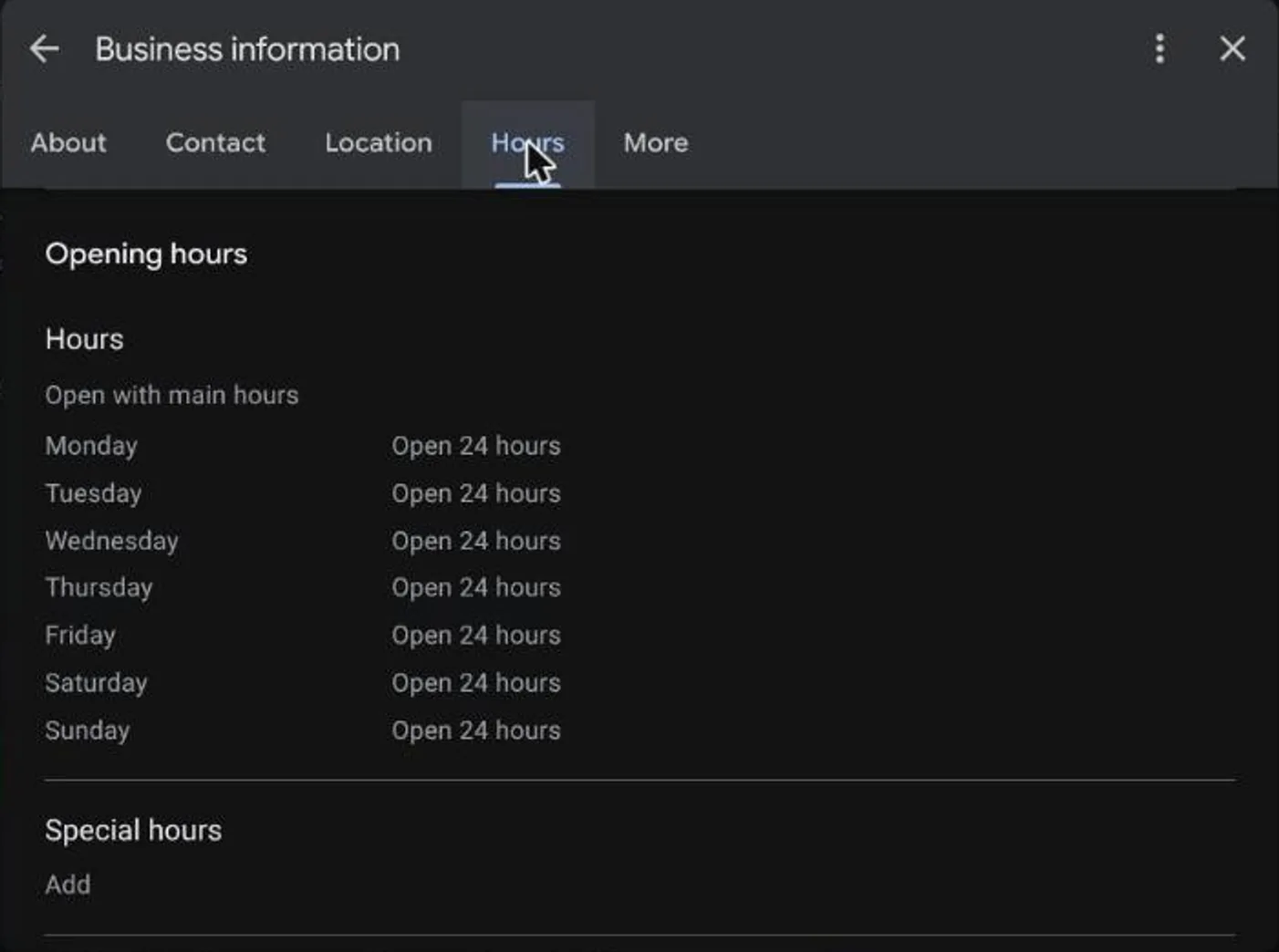
Do not leave the hours blank. If you are starting out and will pick up the phone at any time, set the profile to open 24 hours so it never shows as closed.
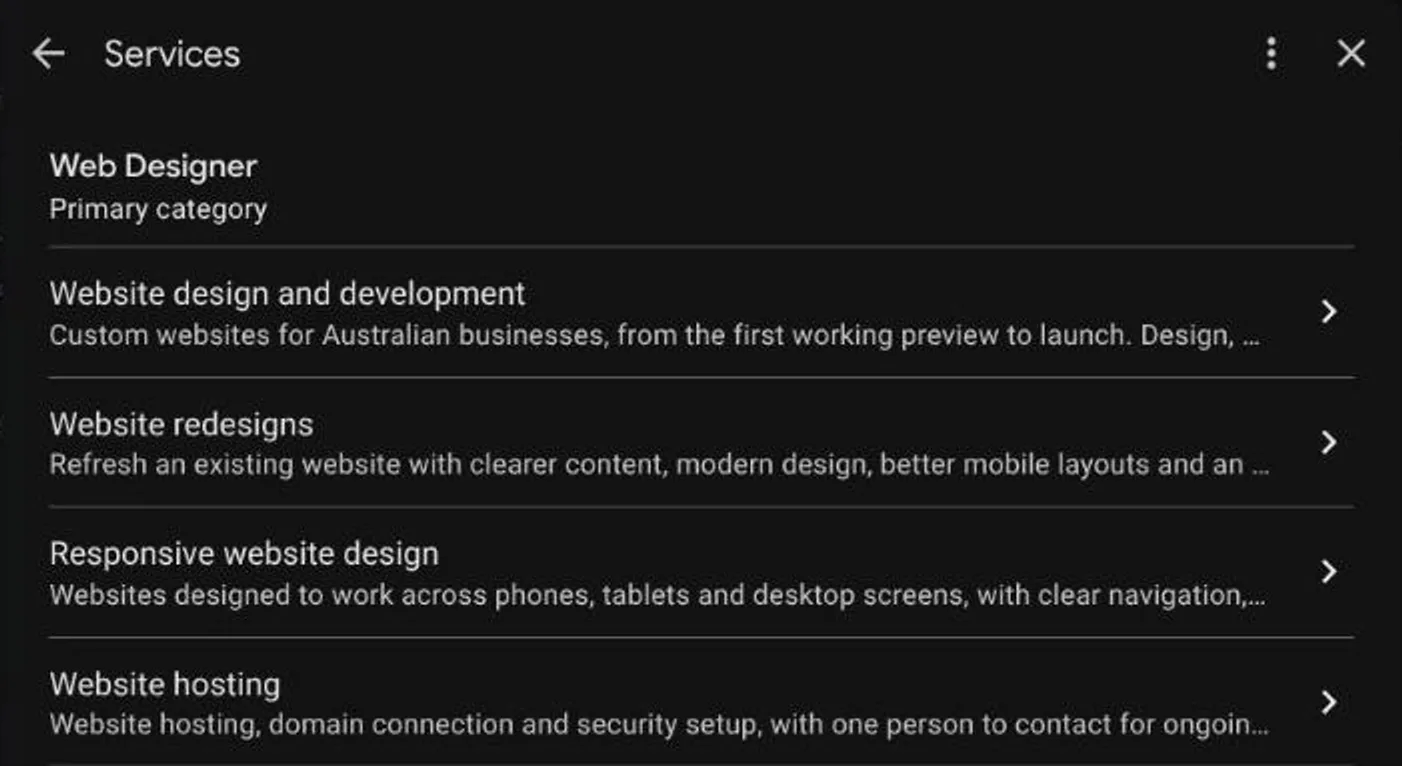
2. List every service you do, in every wording
List every service you really do, one at a time and in the words a customer would type. Writing only hot water services is the lazy way. Hot water covers repairs, replacements, gas, electric and heat pump systems and the brands you work on, and each one is its own search. Look up what people type for your trade and add every one that is true. It makes it far easier for Google to recommend you.
Go as far as every wording. A lift company that works on Kone lifts would list Kone lift repair, Kone lift repairs, Kone lift maintenance, Kone lift service and Kone lift servicing, then the same five again with elevator in place of lift, because customers use both words. Every trade has services its competitors have not listed properly, and blue-collar trades most of all.
I call this keyword engineering: understanding what people actually type, then covering all of it. Wording changes with the place. In Australia most people say lift, and elevator is the American word, and I find servicing is typed more than service. Some people still use the other version, so list both.
3. Link your website and social media accounts
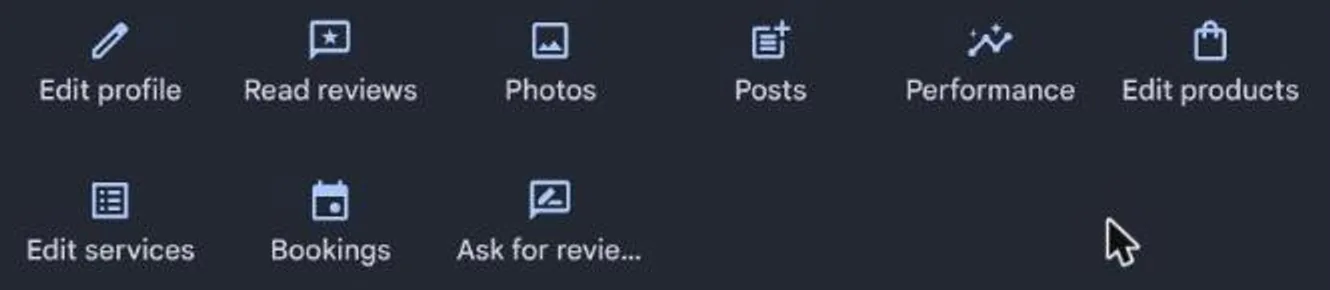
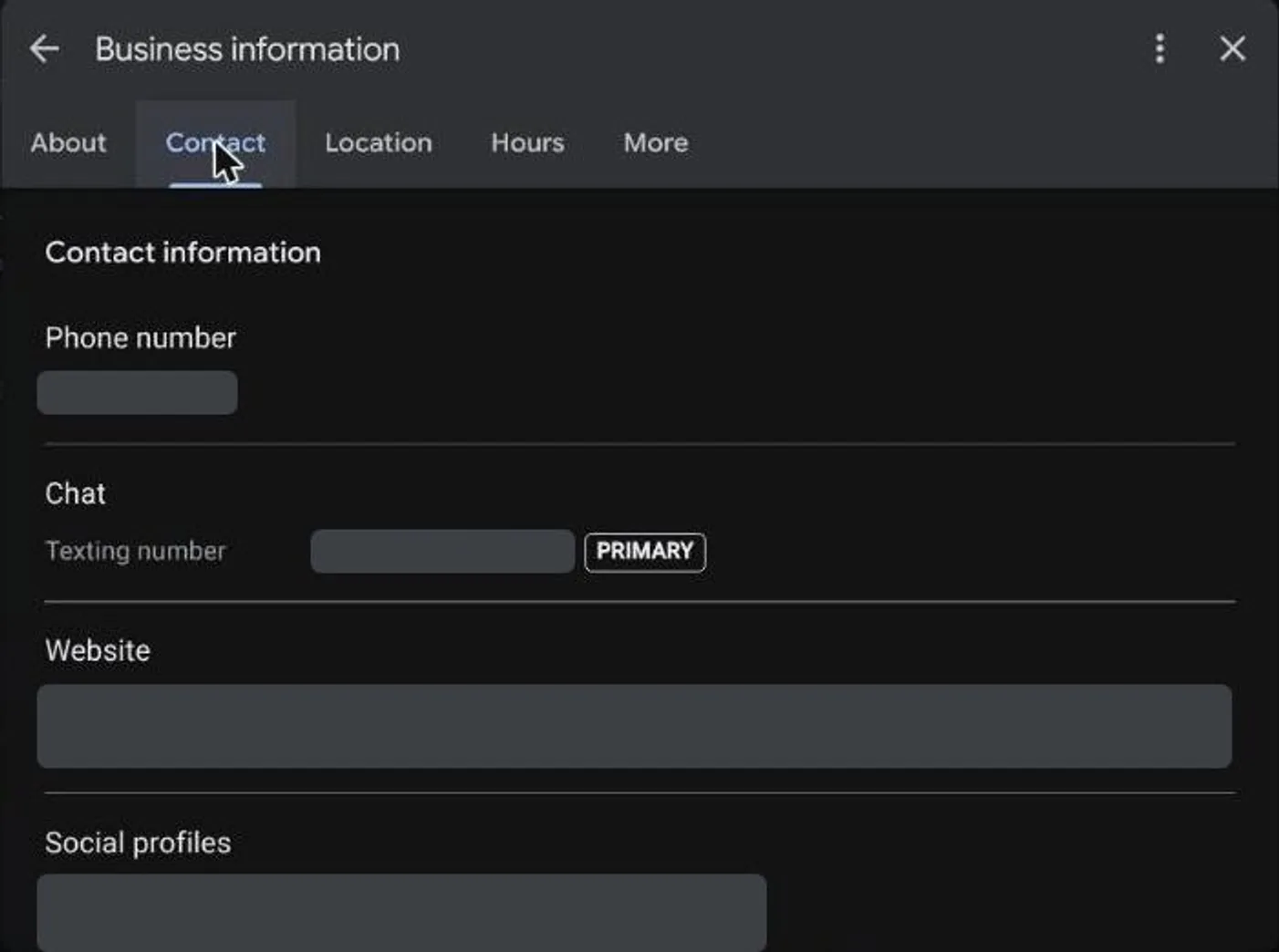
Link your website and your social media accounts to the profile as well, such as Facebook and Instagram. Choose Edit profile, then the Contact tab, and add each one under Social profiles.
4. Add photos from real jobs
Add six to twelve photos to begin with, and more is better. If you are a trade, take them on real jobs in the different suburbs you work in.
5. Keep the reviews coming in
Google cannot see how good your work is. It uses your reviews as its measure of how good a business you are, whatever your real quality of service. Good work with no reviews counts for little.
Reviews are not a job you do once. You want them coming in consistently, all the time. Ask every customer when the job is finished, so new ones keep arriving and the latest review is never months old.
The Ask for reviews button on your profile gives you a link to send. Put it in the text or email that goes out with the invoice.