
Business guide
A Google results page is really three separate parts
A Google results page is made of three parts: the paid ads at the top, the map with local businesses under it, and the ordinary search results below. Each one is fed by something different that you control.
One page, three separate parts
When someone searches for your trade, Google shows them a webpage. It is just a page that shows other people's stuff: ads, businesses and websites. What most owners miss is that this page is built from three separate parts, stacked on top of each other, and each part is fed by a different thing.
The ads at the top come from Google Ads. The map comes from your Google Business Profile, the free listing that shows your name, phone number, hours and reviews. The ordinary results underneath come from your website. You can be in all three, one of them, or none. Fixing one does nothing for the other two.

- Ads at the top
Fed by Google Ads. You pay each time someone clicks. You can be there the same day, and you disappear when you stop paying.
- The map
Fed by your Google Business Profile, not your website. The listing is free. It moves up with a complete profile, reviews and time.
- The ordinary results
Fed by the pages on your website. Free per click, but slow to earn. It rewards pages that answer what the customer typed.
Three doors into the same page. Each one needs its own work.
Part one: the ads at the top
The first few results are usually ads. Google marks each one with the word "Sponsored" in small print, so look for it. These spots are bought through Google Ads. You choose the searches you want to show up for, set a budget, and pay each time someone clicks your ad. Each ad sends that click to a page on your website.
Google runs a quick auction every time someone searches, so you are bidding against other businesses who want the same spot. It is not only about who pays most: Google also weighs how well your ad and the page it leads to match what the person typed.
The good part is speed. A new ad can be showing the same day. The catch is that it stops the moment you stop paying, and paying for ads does not move you up in the free results or on the map. Google keeps them separate.

Part two: the map and the businesses under it
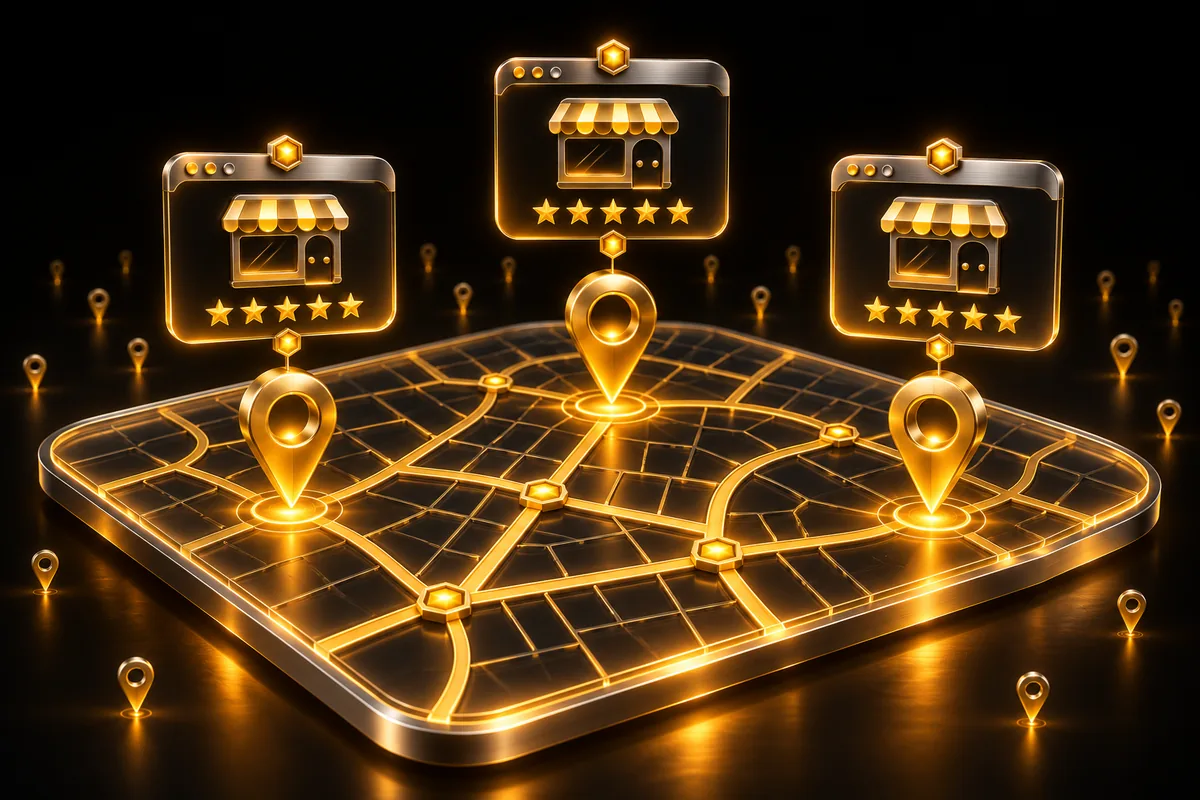
For most local searches, like a trade plus a suburb, Google shows a map with pins and usually three businesses listed under it. People call this the map pack. It is often the first thing a customer sees after the ads, and they can tap call straight from it.
This part is not fed by your website. It is fed by your Google Business Profile, a free listing you set up and look after through Google. Google says it ranks these listings mainly on three things: relevance (how well your profile matches the search), distance (how close you are to the person searching or the suburb they typed) and prominence (how well known your business is, which includes your reviews).
You can't change where you are. You can make sure your profile is complete and accurate, lists the services you actually do, and keeps collecting honest reviews from real customers.
Part three: the ordinary results underneath
Below the map are the plain blue links. This is the part your website feeds. Google sends out a program called a crawler, which visits websites, reads their pages and stores them. When someone searches, Google picks the stored pages it thinks best answer the search and puts them in order.
These clicks are free, which is why this part is worth having. But it is slow to earn. Google rewards pages that answer what the customer typed. A page about "blocked drain in the kitchen" has a better chance for that search than a home page that just says "all plumbing".
If your site doesn't show up here at all, even for your own business name, that is a different problem from ranking, and it has its own checks.

Where your website sits: where each click lands
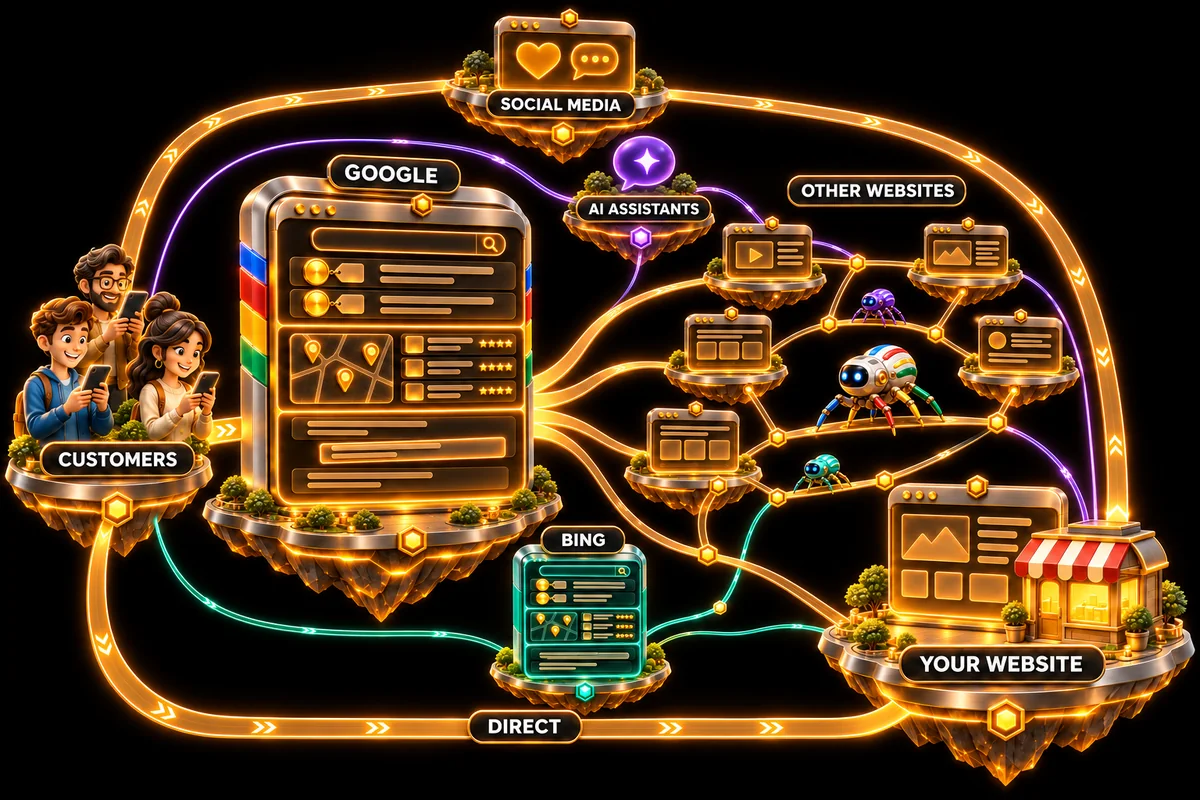
Google's page is the road. Your website is the shopfront at the end of it. Google shows a choice, and the click takes the customer off Google's page onto yours.
Google Ads does not sell for you or bring a customer to your door. It puts your ad in front of someone at the moment they search. When they click, Google charges you and sends them to one page of your website that you chose, often called a landing page (simply the page the click lands on). Then it is up to the page: does it match the search, load fast, and make it easy to call or enquire? An ad pointed at a weak or unrelated page pays for visitors who leave.
The other two parts lead there too. A tap on a map listing can call you, open directions or open your website. A click on an ordinary result lands on the exact page Google picked, not always your home page. So all three end at your website or your phone, which is why the site has to be ready before you pay for traffic.

- They search
A customer types what they need.
- Google shows your ad
It runs the auction and shows your ad, usually at the top, marked Sponsored.
- They click, you pay
Google charges you for that click.
- They land on your page
They arrive on the page you chose for the ad.
- The page does the rest
It has to turn the visit into a call or enquiry.
Check which parts you show up in
Pick up your phone and search the way a customer would: your trade plus your suburb, like electrician plus the name of your suburb. Don't search your business name, because customers who don't know you yet won't type it. Then scroll slowly and check each part.
- Ads: is your business one of the results marked "Sponsored"? If you are not running Google Ads, it won't be, and that is fine.
- The map: is your business one of the businesses under the map? If not, tap "more places" or similar and see how far down the list you are.
- Ordinary results: is any page from your website in the plain links below the map, on the first page or the next?
The bigger picture: every road ends at your website
Google is the biggest road to a local business, but it is not the only one. Bing, Microsoft's search engine, has the same three parts under different names, and several smaller search engines draw on it. AI assistants read websites too, with crawlers of their own. Then there are the roads that skip search altogether: a link in a social media post, or someone typing your address because a mate passed it on.
They all end in the same place. Every crawler reads the same pages, and every click lands on them. That is why I build the website first. Once the pages exist, the ads have the right page to land on, the profile has services to match, and there is something to rank.
Bing is cheap to cover once the Google side is done. It has its own free business listing, which can copy the details across from your Google one, and its own free tool for sending a sitemap.
None of this is a guarantee. Google and the others decide what shows, and they change their pages from time to time. But a business with the right pages has something to show in every one of them.
- Build the website
A page for each service you want work from, and for the common problems customers search.
- Link your Google Business Profile
Point the profile at the site and list the same services, worded the same way.
- Hand over the sitemap
Send it through Search Console so Google knows every page is there.
- Turn on ads if you need work now
Send each ad to the page that matches the search.
- Keep adding pages
One for each job or question customers keep searching.